
The contextual calculator for people who think in notes.
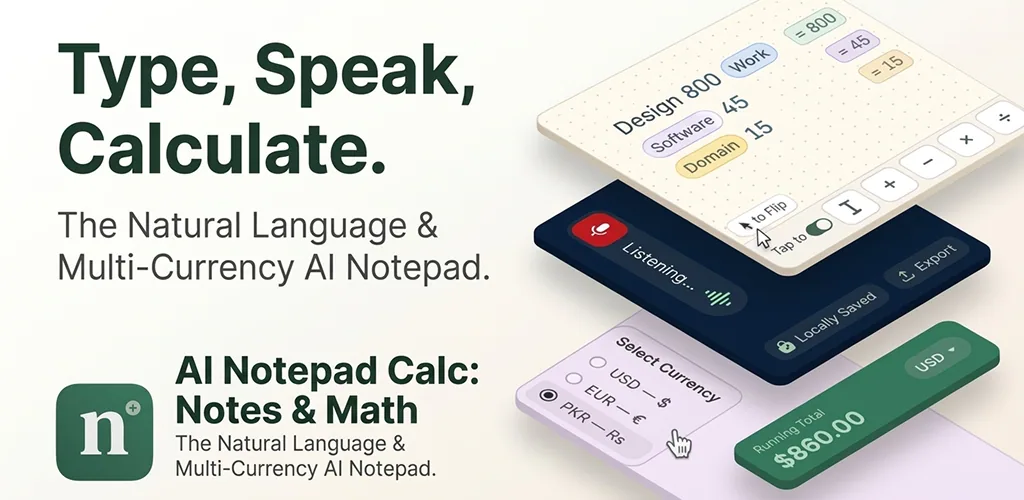
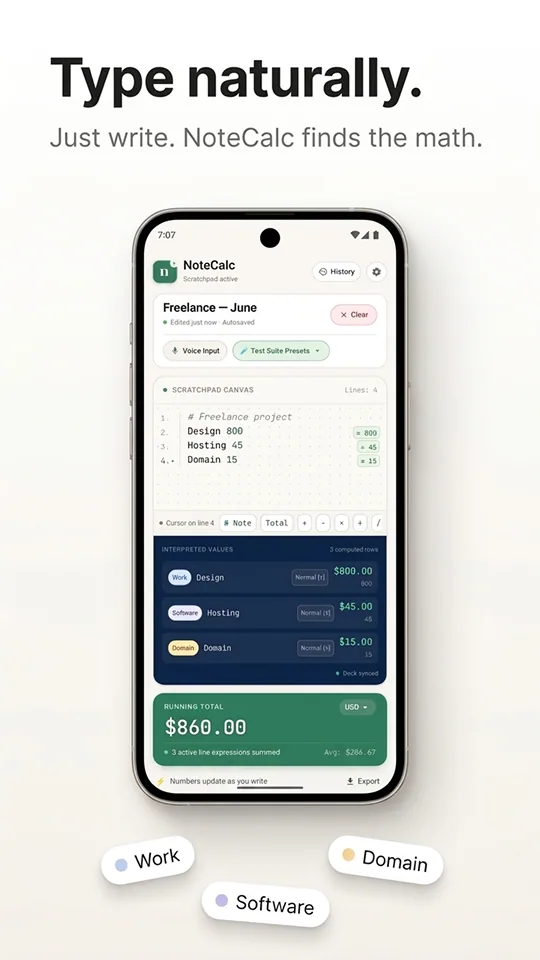
AI Notepad Calc eliminates the task-switching between your note (context) and your calculator (execution). Write "coffee 45" — get the total instantly, right beside your note.
- No task-switching
- Type naturally
- 100% on-device AI
The problem
Context-switching is the hidden tax on every calculation.
Legacy tools force you to choose: keep the note in one app, or do the math in another. Every switch costs you time, focus, and the context you just built.
You write context in one app, calculate in another
Notes live in one place. Numbers live in another. Every calculation means leaving your thought behind.
Task-switching burns your working memory
You hold the number in your head, switch apps, type it in, switch back, and hope you remembered it right.
The result has no context
You get a number in the calculator, but you've lost the note it belonged to. Now you're copying numbers back.
Tracking expenses becomes a chore
Notes app can't calculate. Calculator can't track. You end up with two files that never match.
Before · Task-switching
4 steps per calculation
- 1
Notes app
Write 'Coffee 45'
⚠ No calculation happens
- 2
Switch to Calculator
Type 45
⚠ Context lost
- 3
Copy result
Copy 45
⚠ Manual step
- 4
Back to Notes
Paste 45
⚠ Duplicate work
After · Context-free
1 step per calculation
- 1
AI Notepad Calc
Type 'Coffee 45'
✓ 45 calculated instantly
- 2
AI Notepad Calc
Keep typing
✓ Running total updates
- 3
AI Notepad Calc
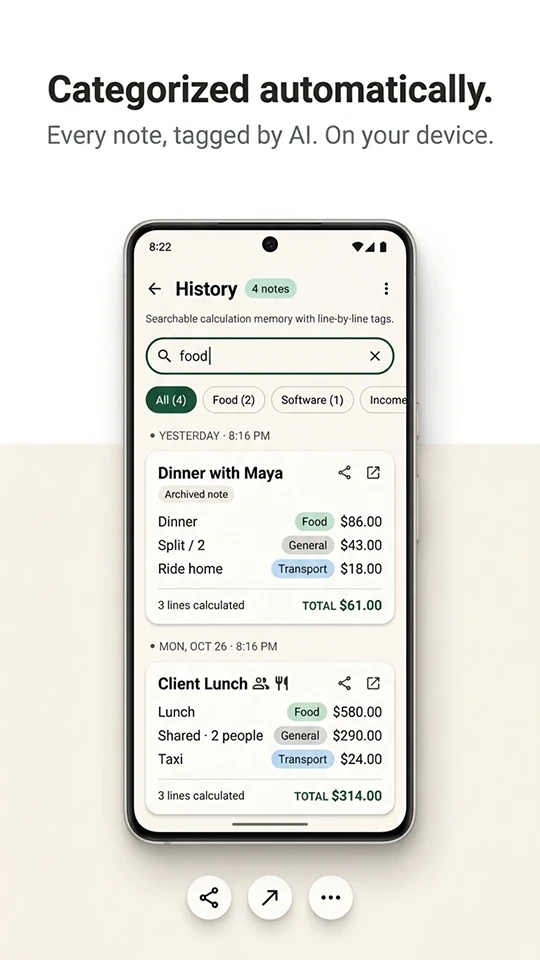
Category auto-assigned
✓ Food badge added
- 4
AI Notepad Calc
Save to history
✓ Context preserved
Try it now — no task-switching required
Type plain math, notes, or a line like "coffee 45". Start a line with // for a comment and use "Total / 3" to divide the running total.
Results
Running total: 3,020.00
Amounts are added together as typed. Turning on AI downloads a small language model to your browser.
Who uses AI Notepad Calc
Built for anyone who needs to write notes and numbers in one place — without switching apps.
Freelancers
Track client work, expenses, and income without switching between notes and a calculator.
Small business owners
Log daily sales, track receipts, and calculate margins without a spreadsheet.
Travelers
Split bills, track trip budgets, and convert currencies without losing your notes.
Students
Take math notes and track spending in the same document — no context switching.
See it in action
Swipe to see more screens.

Everything you need — in one place
- Contextual calculator
- Write notes and numbers together. Results appear beside each line.
- AI categorization
- Lines are tagged automatically: Food, Software, Income, and more.
- No task-switching
- Stop jumping between Note and Calculator apps forever.
- On-device privacy
- All AI runs on your phone. No cloud, no accounts, no data collection.
- Voice input
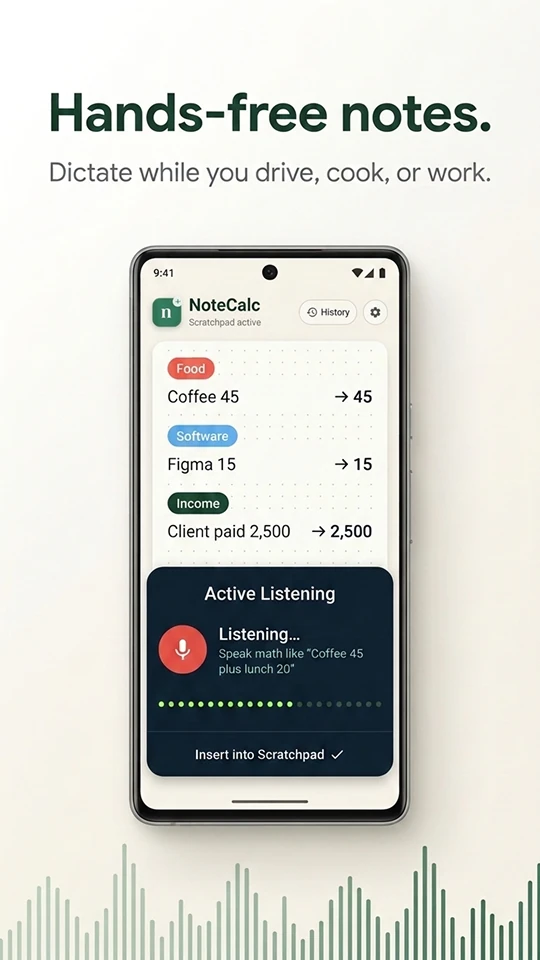
- Dictate notes hands-free with a live waveform visualizer.
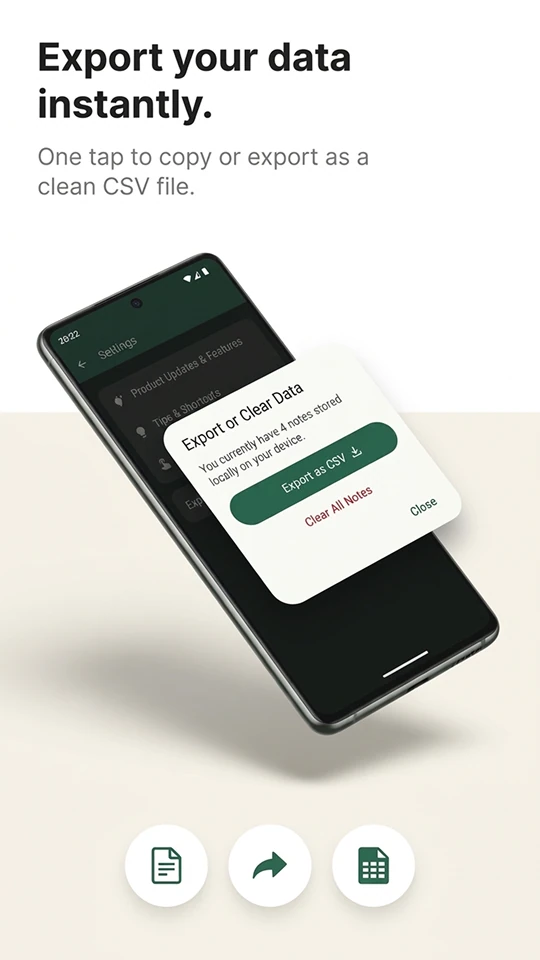
- Export anywhere
- Export to text or CSV in one tap. Send to your accountant.
How it works
- Step 1
Open and type
Type your notes and numbers naturally. NoteCalc calculates as you go.
- Step 2
Review your results
See instant totals, category badges, and a running total.
- Step 3
Export or share
Send to your accountant, save as CSV, or keep in history.
Made by ZenTech-Studio, a product studio in Pakistan. Questions or feedback: support@zentech-studio.com. Privacy policy · Terms of use
Written by the ZenTech-Studio team. Last reviewed November 2026.
AI Notepad Calc questions
Pricing, privacy, and how the contextual calculator works.
A contextual calculator lets you write notes and calculations in the same document. Instead of switching to a calculator app, you keep your context and get instant results beside every line.
Still have questions?
Book a Free ConsultationJoin the AI Notepad Calc beta
Leave your email to get early access to new builds and a direct line to the team to share what works and what doesn't.
You can also try the live demo above while you wait.
Get early access
One email when a beta build is ready for you.

Ready to stop switching apps?
Install AI Notepad Calc on Android and keep your notes and math in one place.